
jPicEdt1.6 - Download
You'll be able to download in few seconds.
Publisher Description
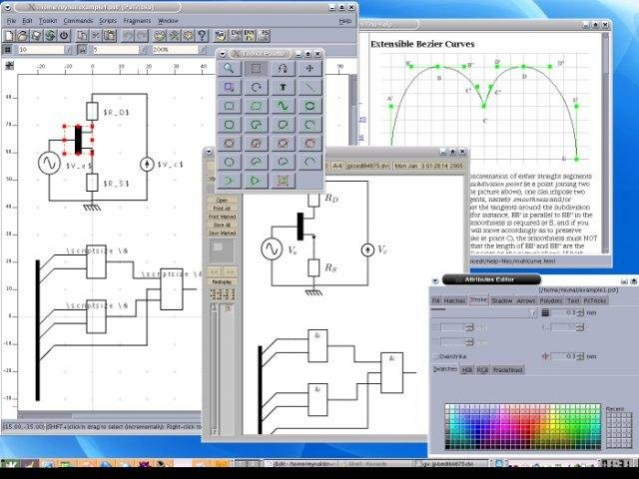
jPicEdt is an extensible internationalized vector-based drawing editor for LaTeX and related packages (TikZ, PsTricks,...), written in Java. It is also a library of reusable high-level graphic primitives.
- Can be launched with any ASCII superset text encoding (such as latin1 or UTF-8), so it can be used for Russian, Japanese, Korean, Chinese, etc... (provided that you select the appropriate encoding at installation)
- Standalone or includable LaTeX file (with a standalone file you can directly generate a PDF or PS picture)
- Extensible with fragments (library of picture fragments)
- Extensible with macros (written in Beanshell)
- Native LaTeX text support, making it easy to include a math formula within a picture
- Pstricks code generation and parsing
- TikZ code generation
- DXF code generation (simplistic only)
- Internationalization of menues (currently English, French, German, Polish, Portugese, Russian, Spanish)
- LaTeX picture environnement code generation and parsing
- LaTeX epic/eepic code generation and parsing
- Shape editing (mirror, rotation, shrinking/dilatation, etc...)
- Bezier curve & smooth polygon editing
- LaTeX xcolor predefined color support
- Shape trimming by convex zone
- HTML and PDF manuals in 3 languages (French, English and German)
About jPicEdt
This program is available in English. It was last updated on 29 September, 2026. jPicEdt is compatible with the following operating systems: Linux, Mac, Windows.
The company that develops jPicEdt is reynal. The latest version released by its developer is 1.6.
The download we have available for jPicEdt has a file size of 11.6 MB. Just click the green Download button above to start the downloading process. The program is listed on our website since 2017-10-01 and was downloaded 0 times. We have already checked if the download link is safe, however for your own protection we recommend that you scan the downloaded software with your antivirus. Your antivirus may detect the jPicEdt as malware if the download link is broken.
How to install jPicEdt on your Windows device:
- Click on the Download button on our website. This will start the download from the website of the developer.
- Once the jPicEdt is downloaded click on it to start the setup process (assuming you are on a desktop computer).
- When the installation is finished you should be able to see and run the program.
Program Details
System requirements
Download information
Pricing
Version History
version 1.6
posted on 2017-10-01
version 1.5-pre1
posted on 2007-11-04
Several fixes and updates
Disclaimer
External Download
We do not host jPicEdt on our servers. We did not scan it for viruses, adware, spyware or other type of malware. This app is hosted by the software publisher and passed their terms and conditions to be listed there. We recommend caution when installing it.
The external download link for jPicEdt is provided to you by apps112.com without any warranties, representations or guarantees of any kind, so access it at your own risk.
If you have questions regarding this particular app contact the publisher directly. For questions about the functionalities of apps112.com contact us.
